

Audit season exposes every broken process in your compliance program.
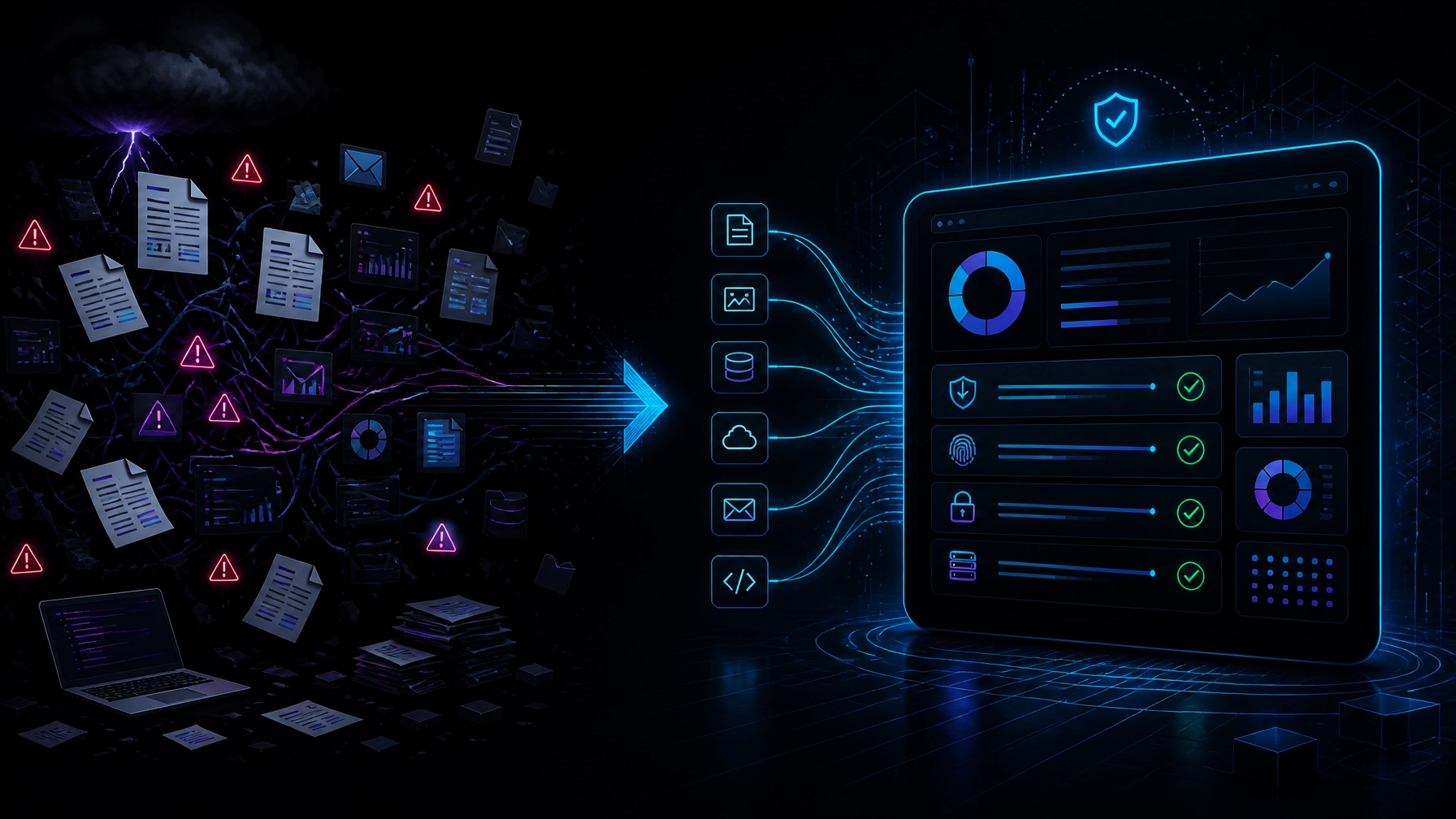
Your team searches across inboxes, ticketing systems, cloud consoles, spreadsheets, shared drives, and security tools. Someone asks for access review evidence. Nobody knows who owns it. A vulnerability report is missing. A policy approval is six months out of date.
The result is predictable:
- Weeks of manual evidence collection
- Repeated requests to engineering and IT
- Unclear control ownership
- Stale screenshots and incomplete exports
- Last-minute remediation work
- Delayed SOC 2, CMMC, HIPAA, or FedRAMP assessments
This is not a people problem. It is a workflow problem.
Enterprise workflow automation for compliance turns audit readiness into a continuous operating system. Your systems collect evidence as work happens. Your compliance team monitors control health from one dashboard. Your auditors receive organized, traceable evidence instead of a last-minute file dump.
Your Audit Fire Drill Starts Months Before the Audit
Manual compliance programs fail because they treat evidence as a seasonal project.
The team waits until an auditor asks for proof. Then it starts collecting artifacts that should have been captured automatically:
- Identity and access logs
- User provisioning and deprovisioning records
- Change approvals
- Vulnerability scan results
- Incident response tickets
- Cloud configuration reports
- Policy acknowledgments
- Vendor risk reviews
- Backup and recovery tests
- Security training records
This approach creates a dangerous gap between what your policies say and what your systems can prove.
For a SOC 2 Type II engagement, evidence must cover the review period. For a CMMC audit, your team must demonstrate that security practices are implemented and documented. For HIPAA, your systems need mechanisms to record and examine activity involving electronic protected health information. For FedRAMP, continuous monitoring and recurring security reporting are core operating requirements.
A spreadsheet cannot manage this complexity.
30-Day Enterprise Workflow Automation Blueprint
You do not need another generic checklist. You need a system that matches your business logic, technology stack, framework requirements, and control ownership.
Use this four-step blueprint to move from audit panic to continuous cybersecurity audit readiness.
1. Map Your Controls Across Every Framework
Complete your control map in 5 business days.
Most regulated organizations maintain multiple compliance obligations at once. The same technical process often supports several frameworks.
For example, a single access review workflow can support:
- SOC 2 Security criteria
- CMMC access control and audit accountability practices
- HIPAA access control and audit control requirements
- FedRAMP access control and continuous monitoring expectations
Start with a unified control catalog. Then map each framework requirement to the control that satisfies it.
Your control map should identify:
- Control name and description
- Applicable framework requirements
- Control owner
- Evidence owner
- Source system
- Collection frequency
- Review frequency
- Escalation path
- Exception and remediation process
This structure eliminates duplicate work. Your team collects one verified artifact and reuses it across the frameworks it supports.
The AICPA Trust Services Criteria provides the foundation for SOC 2. The criteria include risk assessment and monitoring activities, but they do not give you a universal control checklist. You must design controls around your actual environment.
That is where custom engineering matters.
2. Connect Your Evidence Sources
Connect your highest-value systems in 10 business days.
Your evidence already exists. It is trapped in systems that do not communicate.
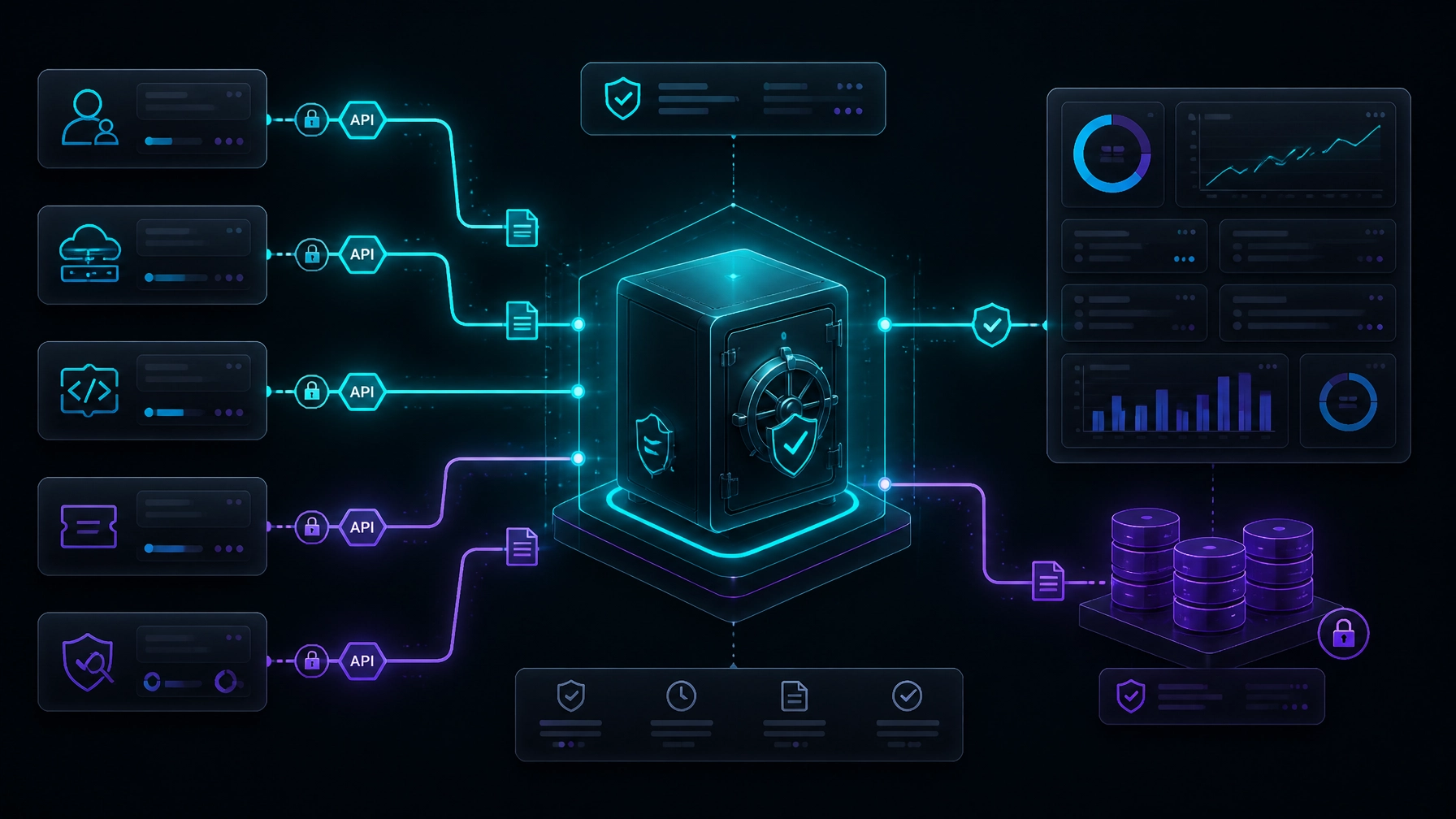
A custom compliance workflow connects the systems that generate evidence every day:
- Identity providers and SSO platforms
- HR and onboarding systems
- Cloud infrastructure
- Endpoint management tools
- SIEM and log aggregation platforms
- Vulnerability scanners
- Code repositories
- CI/CD pipelines
- Ticketing and project management systems
- Learning management platforms
- Vendor management tools
Use APIs, webhooks, scheduled jobs, and secure data pipelines to collect evidence directly from the source.
The system should capture more than a screenshot. Each artifact needs context:
- Control and framework mapping
- Source system
- Timestamp
- Reporting period
- User or service that generated it
- Approval status
- Evidence expiration date
- Integrity or verification details
For example, when a new employee joins, your workflow can:
- Receive the approved onboarding event from HR.
- Create the correct identity and application access.
- Apply least-privilege roles.
- Record the approval and provisioning timestamps.
- Notify the control owner.
- Store the complete event as audit evidence.
No spreadsheet update is required. No manual evidence hunt is required.
3. Automate Control Monitoring and Remediation
Detect stale evidence and control failures within 24 hours.
Evidence collection is only half the job. Your system must tell you when a control stops working.
Build monitoring workflows around the risk and frequency of each control:
- Daily for privileged access and high-risk cloud configurations
- Weekly for vulnerability and endpoint status
- Monthly for access reviews and management attestations
- Quarterly for vendor reviews and policy confirmations
- Per event for production changes, incidents, and employee departures
When the system detects a failure, it should create a clear operational workflow.
Example: a production deployment bypasses the required approval process.
The automation should:
- Detect the deployment event.
- Compare it with the change management policy.
- Flag the missing approval.
- Create a remediation ticket.
- Assign the ticket to the responsible owner.
- Notify compliance and security teams.
- Record the exception and due date.
- Escalate unresolved issues automatically.
This converts compliance from passive documentation into active risk management.
Your team sees the issue while it is still fixable. Auditors see a documented process that includes detection, ownership, remediation, and closure.
4. Produce Audit-Ready Packages on Demand
Cut audit preparation from weeks to days.
Your dashboard should answer five questions immediately:
- Which controls are healthy?
- Which controls have stale or missing evidence?
- Who owns each open issue?
- Which evidence supports each framework requirement?
- Can the team produce a complete audit package for a defined period?
A strong dashboard includes:
- Control health by framework
- Evidence freshness
- Open exceptions
- Remediation aging
- Vulnerability trends
- Access review completion
- Policy acknowledgment rates
- Incident response status
- Audit request progress
- Framework overlap and evidence reuse
When an auditor requests evidence, you select the framework, control, and reporting period. The system packages the relevant artifacts with their metadata, approvals, and source references.
That is cybersecurity audit readiness.
You do not scramble to prove what happened. Your system already recorded it.
Generic Compliance Tools Stop at Collection
Generic GRC platforms provide useful structure. They do not automatically understand your business.
They often rely on:
- Prebuilt control libraries
- Manual evidence uploads
- Generic integrations
- Static questionnaires
- Separate dashboards for separate frameworks
- Workflows that do not match your approval paths
That creates another disconnected layer.
We do not force your operations into a template. We build the automation around your existing business logic and technology stack.
A custom system can enforce the exact rules your organization needs:
- Different approval paths for production and internal changes
- Separate evidence boundaries for CUI and non-CUI data
- HIPAA-specific access monitoring for systems containing ePHI
- FedRAMP reporting workflows tied to your cloud environment
- Automatic routing based on department, risk level, or system owner
- Custom retention, escalation, and exception policies
You get one operating model instead of another tool your team must work around.
What Automation Looks Like in Practice
Automated access reviews
Every month, the workflow pulls current user and role data from your identity provider and critical applications. Managers receive review tasks. Approved changes are logged. Unapproved access creates a ticket. The system stores the completed review as evidence.
Continuous vulnerability management
Your scanner sends results to the workflow engine. Critical findings automatically create remediation tickets with owners and deadlines. Closure evidence attaches to the original finding. The dashboard shows open risk by system and age.
Change management evidence
A code merge triggers the workflow. The system checks for required approvals, security tests, and linked tickets. Deployment logs and approval records move into the evidence repository automatically.
HIPAA activity monitoring
Systems containing ePHI send access and activity events to a centralized workflow. The system identifies unusual activity, routes alerts for investigation, and preserves the review trail required for compliance operations.
CMMC evidence and POA&M tracking
Your team maps NIST 800-171-aligned practices to operational evidence. Missing artifacts and overdue remediation tasks trigger escalations. The dashboard shows readiness by practice, system, and owner.
Build Your Compliance Dashboard in 30 Days
Autom8tion Lab builds custom workflow automation systems from scratch.
Our implementation process is direct:
- Days 1–5: Inventory systems, controls, owners, and evidence sources.
- Days 6–10: Build the cross-framework control map and data model.
- Days 11–20: Connect APIs, configure collection workflows, and automate remediation.
- Days 21–25: Build dashboards, reporting views, and audit package exports.
- Days 26–30: Test workflows, validate permissions, run a mock audit, and launch.
We build with security at the foundation. Our systems use controlled access, secure integrations, audit trails, and bank-level encryption. We follow SOC 2 protocols and design workflows around your compliance boundaries.
The result is measurable. Our custom automation projects typically target 10x productivity improvements within 90 days by removing repetitive manual work and giving teams direct visibility into operational risk.
You can explore our cybersecurity capabilities or review solutions for government and defense organizations.
Stop Preparing for Audits at the Last Minute
Audit season should validate your controls. It should not reveal that your evidence process is broken.
Build a system that continuously collects evidence, monitors control health, tracks remediation, and produces audit-ready reporting.
Let’s turn your compliance fire drill into a dashboard. Schedule a consultation with Autom8tion Lab.
Keep reading
AI Agents From Lead to Lease: Automating the Entire Real Estate Lifecycle Without Losing the Human Touch
A new rental lead does not wait for business hours. They contact you at 9 p.m. They compare five properties. They expect an immediate answer, a clear next step, and a tour on their calendar.
7 min readWhy Your Construction Firm Is Losing Money in the Paper Trail (and How Custom AI Fixes It)
Your construction site is not losing money because your crews are slow. It is losing money in the gap between the field and the office. A superintendent captures a site condition in a notebook. A foreman sends a photo by text. A project manager receives an.
7 min readThe CFO's Guide to Custom AI Automation: What a 10x Productivity Gain Looks Like on Your P&L
A 10x productivity improvement does not mean your finance team works ten times harder. It means your team produces ten times more useful output from the same operating capacity. That output may include:
7 min readReady to Transform Your Business with AI Automation?
Let's discuss how custom automation solutions can deliver measurable results for your specific business needs.
Schedule a Consultation