

You can have policies, security software, and a completed compliance spreadsheet and still fail a NIST 800-171 assessment.
The reason is simple. Assessors do not grade your intentions. They grade whether your controls work across the systems that process, store, or transmit Controlled Unclassified Information (CUI). They also look for evidence that your team follows those controls consistently.
The seven areas below fail first because they sit at the intersection of people, technology, documentation, and daily operations.
This guide uses the familiar NIST SP 800-171 Rev. 2 and CMMC Level 2 practice references commonly used in defense contractor environments. NIST SP 800-171 Rev. 3 now supersedes Rev. 2, so you must confirm which version and contractual requirements apply to your environment. Start with the current NIST SP 800-171 publication, your contract, and the applicable CMMC assessment guidance.
Why these seven controls fail first
Most contractors do not fail because they lack a firewall. They fail because their security environment does not match their documentation.
Common problems include:
- MFA enabled for email but not privileged local access
- Shared administrator accounts with no individual accountability
- Logs collected but never reviewed
- Incident response plans that have never been tested
- USB drives with no owner or chain of custody
- Asset inventories that exclude cloud systems and applications
- System Security Plans that describe an environment you no longer operate
A checklist exposes these gaps. Custom engineering fixes them.
1. MFA fails when it protects only the obvious systems
Primary requirement: NIST 800-171 3.5.3
Why contractors fail
Many organizations enable MFA for Microsoft 365, VPN access, or a remote desktop gateway and assume the problem is solved.
It is not.
Assessors look beyond the login screen employees use most often. They examine:
- Domain administrator accounts
- Local administrator accounts
- Remote access tools
- RDP and SSH
- Cloud consoles
- Service and maintenance accounts
- Legacy applications connected to the CUI environment
A single privileged path without MFA creates a serious gap.
What the auditor looks for
The assessor wants to see technical enforcement, not a policy that says “MFA is required.”
Expect requests for:
- Identity provider configuration
- MFA enrollment and enforcement reports
- Conditional access policies
- Privileged account lists
- Remote access configurations
- Evidence that exceptions are approved and controlled
How to fix it
Centralize identity wherever possible. Enforce MFA through your identity provider across cloud, on-premises, remote, and privileged access.
For legacy systems, do not accept “the application cannot support MFA” as the final answer. Place the system behind a managed jump host, segmented network, or privileged access gateway. Document the architecture and test it.
2. Access control fails when your CUI boundary is undefined
Primary requirements: NIST 800-171 3.1.1, 3.1.3, 3.1.5, and 3.1.7

Why contractors fail
Access control becomes impossible when you do not know where CUI lives or how it moves.
This is where duct-taped tools create risk. CUI moves through email, file shares, engineering applications, cloud storage, personal devices, and contractor portals. No one owns the complete data flow.
Other common failures include:
- Shared accounts
- Excessive group membership
- Former employees with active access
- Privileged accounts used for normal work
- No formal access review process
- No documented CUI data flow
What the auditor looks for
The assessor will compare your access lists against your roles, data flows, and actual system configurations.
You need evidence of:
- Unique user accounts
- Role-based access control
- Least-privilege permissions
- Joiner, mover, and leaver procedures
- Periodic access reviews
- Approved CUI data flow diagrams
- Logs showing privileged activity
How to fix it
Map business roles to system permissions. Separate engineering, contracts, finance, administration, and external users. Restrict CUI repositories to roles with a legitimate business need.
Then automate the joiner–mover–leaver process. A termination ticket should trigger account disablement, token revocation, group removal, and asset recovery. Manual reminders are not a control.
3. Audit logging fails when nobody can explain what happened
Primary requirements: NIST 800-171 3.3.1 through 3.3.9
Why contractors fail
Contractors often collect logs without building a monitoring capability.
A server stores local event logs. A firewall stores network events. Microsoft 365 stores cloud activity. Endpoint tools store alerts. None of those systems communicate, and nobody reviews them consistently.
That is not an audit program. It is disconnected storage.
What the auditor looks for
Assessors expect a defined logging strategy that covers:
- Authentication success and failure
- Privileged account activity
- CUI access
- Configuration changes
- Remote access sessions
- Endpoint and malware events
- Firewall and VPN activity
- Cloud administrator actions
They also look for evidence of log review, alert handling, synchronized timestamps, protected log storage, and response to logging failures.
How to fix it
Build a centralized logging pipeline. Connect identity, endpoint, cloud, network, and application sources to a SIEM or managed monitoring platform.
Define:
- Which events are logged
- Who reviews them
- How often they are reviewed
- How long records are retained
- Which events generate alerts
- What happens when the logging pipeline fails
A custom integration often delivers more value than buying another dashboard. Your monitoring system must reflect your actual architecture and threat profile.
4. Incident response fails when the plan has never been tested
Primary requirements: NIST 800-171 3.6.1, 3.6.2, and 3.6.3

Why contractors fail
Many incident response plans are written for compliance and ignored during operations.
They do not define who makes decisions. They do not identify the systems that contain CUI. They do not explain how to preserve evidence. They do not provide a clear reporting path for a defense-related cyber incident.
Under DFARS 252.204-7012, covered cyber incidents require reporting to the Department of Defense within 72 hours. Your team must know who owns that process before an incident occurs.
What the auditor looks for
Assessors want to see:
- A written incident response plan
- Defined incident severity levels
- Named internal and external contacts
- Detection, containment, recovery, and reporting procedures
- Incident tickets or case records
- Tabletop exercise documentation
- After-action reports
- Evidence that lessons learned changed the plan
How to fix it
Create playbooks for the incidents your business actually faces:
- Ransomware
- Stolen credentials
- Unauthorized CUI access
- Lost removable media
- Cloud account compromise
- Malware on an engineering workstation
Run a tabletop exercise at least annually. Include IT, leadership, legal, contracts, and any managed security provider. Record the decisions, gaps, and corrective actions.
5. Media protection fails because physical data still counts
Primary requirements: NIST 800-171 3.8.1 through 3.8.9
Why contractors fail
Defense contractors focus on cloud storage and overlook:
- USB drives
- External hard drives
- Printed drawings
- Backup media
- Copiers and scanners
- Retired laptops
- Diagnostic devices
- Media transported between facilities
A USB drive containing CUI does not become low risk because it is small. Unowned portable storage creates an accountability problem.
What the auditor looks for
You need documented and enforced procedures for:
- Approved removable media
- Encryption
- CUI marking
- Physical storage
- Media transport
- Chain of custody
- Sanitization and destruction
- Backup protection
You also need evidence. Keep checkout records, destruction certificates, encryption records, and exception approvals.
How to fix it
Block removable media by default. Permit only organization-owned, encrypted, and inventoried devices for approved use cases.
Create a media destruction process based on NIST SP 800-88. Tie each retired device to a ticket and certificate of destruction.
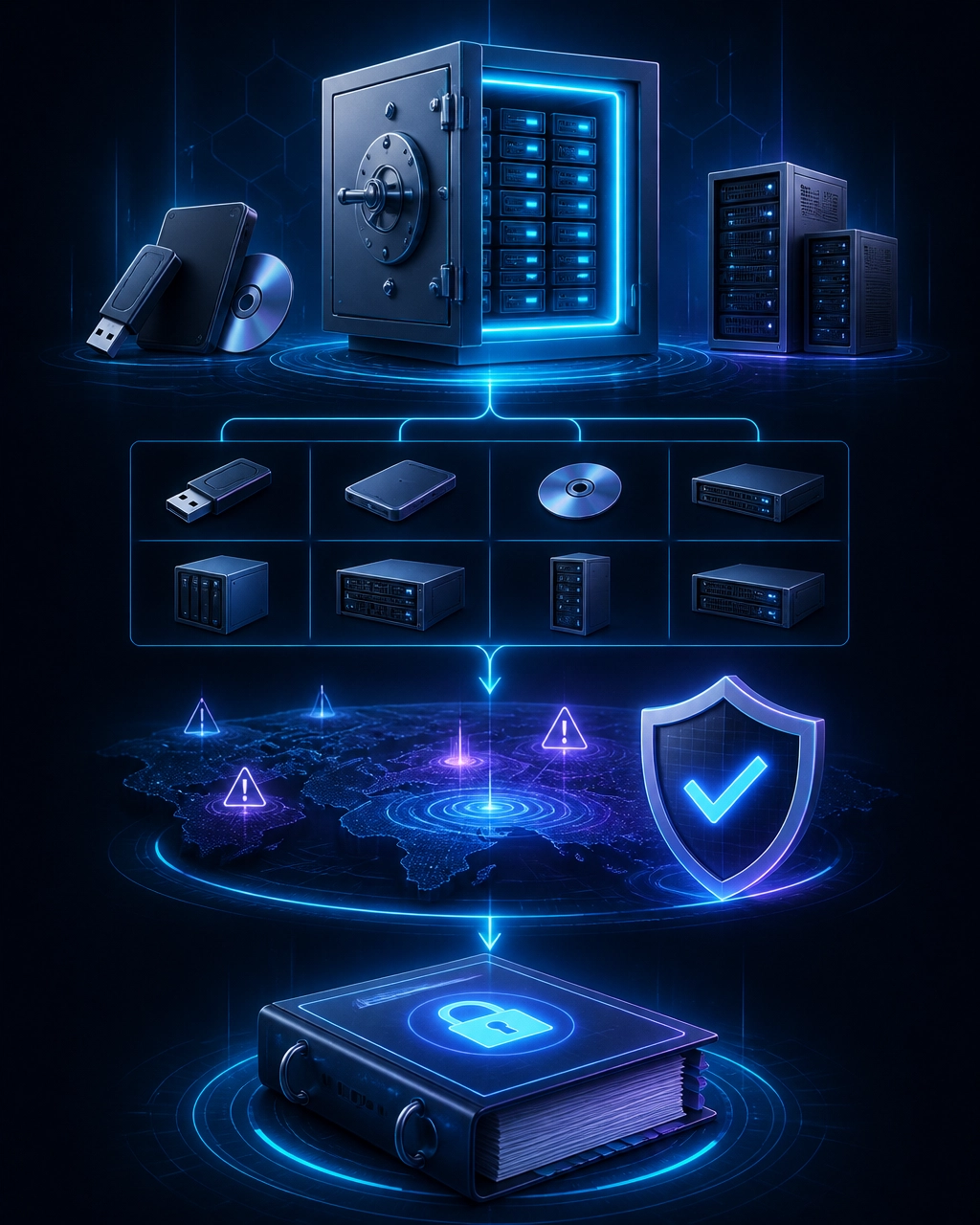
6. System inventory fails when the environment changes faster than the spreadsheet
Primary requirement: NIST 800-171 3.4.1
Why contractors fail
Your inventory is wrong the moment a new cloud service, endpoint, application, or network device enters production without an update.
Common omissions include:
- SaaS applications
- Cloud storage accounts
- Virtual machines
- Network appliances
- Printers and scanners
- Developer tools
- Backup systems
- Contractor-managed devices
This creates SSP drift. Your System Security Plan says one thing. Your production environment does another.
What the auditor looks for
The assessor compares your inventory with:
- Network diagrams
- Vulnerability scans
- Endpoint management records
- Cloud service configurations
- Access control lists
- The System Security Plan
- Actual systems observed during assessment
Contradictions create immediate credibility problems.
How to fix it
Create one authoritative asset register. Track:
- Asset owner
- Hostname and IP address
- Hardware and operating system
- Application and version
- Physical or cloud location
- CUI processing status
- Security boundary
- Support provider
- Last review date
Connect inventory updates to change management. No system should enter production without an owner, baseline configuration, security review, and SSP update.
7. Risk assessment fails when the SSP is treated as a document instead of an operating model
Primary requirements: NIST 800-171 3.11.1 through 3.12.4
Why contractors fail
The final failure is usually not the absence of a document. It is the gap between the document and reality.
A stale SSP often includes:
- Retired systems
- Missing cloud services
- Incorrect CUI flows
- Unassigned control responsibilities
- Unsupported inherited controls
- Open remediation items with no owner
- No connection between risks and engineering decisions
Under 32 CFR § 170.21, CMMC Level 2 conditional status has strict POA&M limitations. The SSP requirement cannot be placed on a POA&M. You also need to meet the applicable scoring threshold and other conditions for conditional status.
What the auditor looks for
Assessors expect:
- A current system boundary
- Accurate CUI data flows
- A documented risk assessment
- Security control implementation statements
- Vulnerability scanning results
- Security assessment reports
- A managed POA&M
- Evidence of ongoing monitoring
- Clear provider inheritance documentation
How to fix it
Build the SSP from your architecture. Do not write it from a generic template and retrofit your environment afterward.
Use a repeatable process:
- Identify CUI and map its movement.
- Define the system boundary.
- Inventory every component inside and protecting that boundary.
- Test each applicable requirement.
- Document gaps with owners and deadlines.
- Engineer the remediation.
- Update the SSP and evidence repository.
- Reassess the control after implementation.
Your SSP should explain how your system works today. It should not describe an idealized environment that existed two years ago.
Checklists document compliance. Custom engineering sustains it.
NIST 800-171 compliance for defense contractors is not a binder project. CMMC 2.0 Level 2 readiness is not achieved by purchasing a dashboard. DFARS 252.204-7012 compliance is not proven by saying your managed service provider handles security.
You need controls designed around your users, applications, data flows, cloud services, and contract obligations.
Autom8tion Lab builds custom cybersecurity and cloud systems around your existing business logic and technology stack. We connect identity, monitoring, asset management, evidence collection, and remediation workflows into one operating model. We do not sell generic checklists. We engineer systems that your team can operate and your assessor can verify.
Review our defense technology services, cybersecurity capabilities, and custom software development services.
Your assessment should not be a surprise. Schedule a consultation and let’s identify the seven gaps that will stop your CMMC readiness first.
Keep reading
CMMC 2.0 Level 2 Readiness in 90 Days: A Realistic Roadmap for DoD Subcontractors
If you handle Controlled Unclassified Information (CUI), CMMC 2.0 Level 2 readiness is not a paperwork exercise. You need working controls. You need documented evidence. You need a System Security Plan (SSP) that matches your real environment. You need a.
7 min readCybersecurity Audit Readiness for AI-Driven Workflows
AI workflows are the new audit weak point. Generic chatbots can't answer what auditors actually ask: who accessed this PHI, who triggered this action, where's the evidence. Here is the audit-readiness architecture we engineer for SOC 2, HIPAA, and CMMC.
11 min readThe Secure AI Development Lifecycle for Regulated Industries
AI builds break compliance audits when security is treated as a wrapper around the model. Here is the SDLC we run inside HIPAA, CMMC, and SOC 2 environments — controls baked into every phase from data ingestion to inference logging.
12 min readReady to Transform Your Business with AI Automation?
Let's discuss how custom automation solutions can deliver measurable results for your specific business needs.
Schedule a Consultation